> For the complete documentation index, see [llms.txt](https://docs.silvi.earth/llms.txt). Markdown versions of documentation pages are available by appending `.md` to page URLs; this page is available as [Markdown](https://docs.silvi.earth/silvi-app-user-guide/registering-a-tree.md).
# Registering a Tree
## Tree Types Explained
**New Planting:** This type of tree should be registered with Silvi immediately after planting.
**Young Tree:** A young tree is a tree that has been recently planted and has not yet reached maturity.
**Mature Tree:** A mature tree can be registered for biodiversity monitoring or to register a Mother Tree which produces seeds and seedlings that can be planted in order to produce seedlings/saplings.
{% hint style="info" %}
**You can register any type of tree at any time** but you can only receive monetary rewards for trees that follow the methodologies prescribed for your project.
{% endhint %}
## Steps to Register Trees
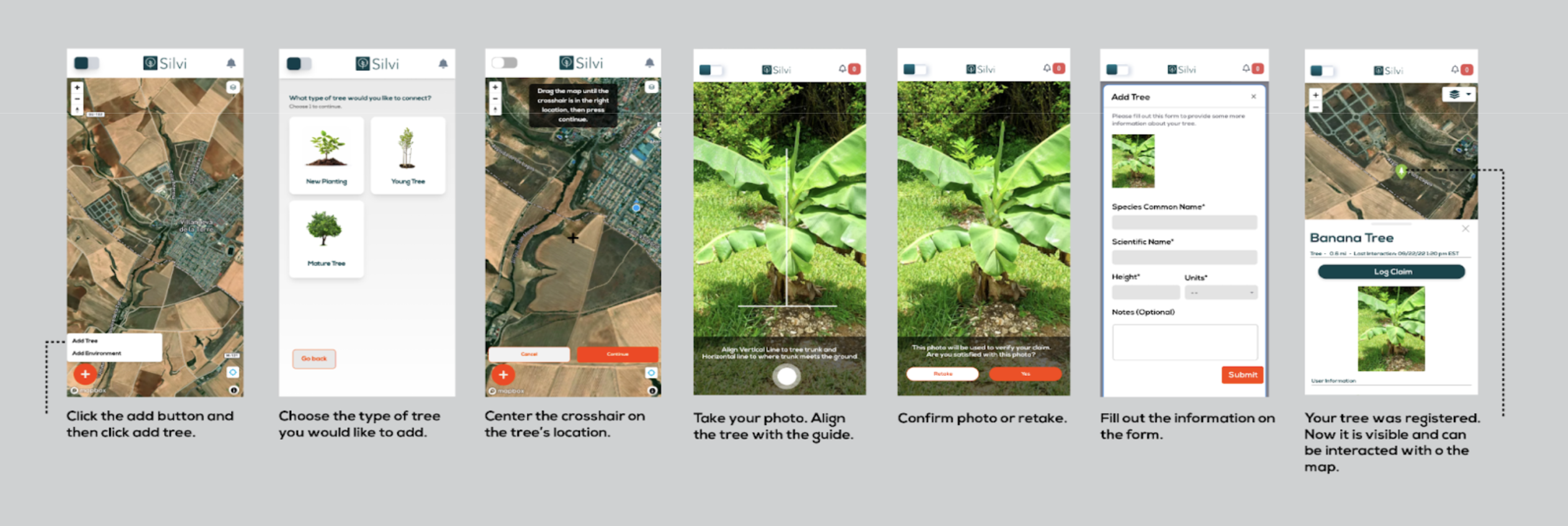
1. **Click** the `add button` and then **click** `add tree`
2. **Choose** the `type` of tree you would like to add
3. Center the crosshair on the tree’s location\*
4. **Take** your photo
5. **Align** the `tree` with the `guide`
6. **Confirm** photo or **retake**
7. Fill out the information on the `form`
{% hint style="success" %}
If a green confirmation banner appears, **your tree was registered.** Now it is visible and can be interacted with on the map.
{% endhint %}
{% hint style="info" %}
If you would like to **change the location of a tree** or if you have **uploaded it by mistake,** you should contact your administrator.
{% endhint %}
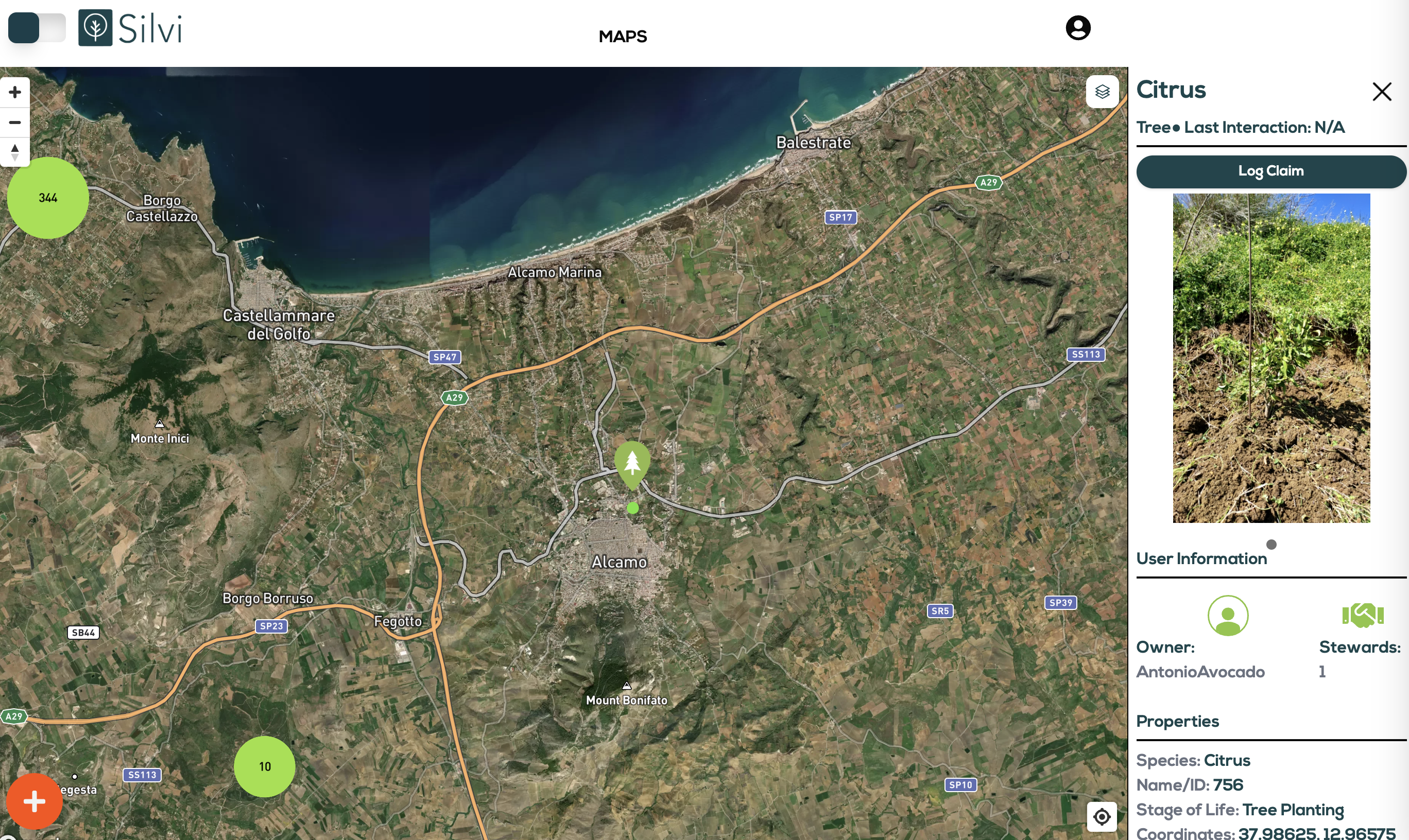
Trees are marked on the map with green icons. When the globe is zoomed out they are grouped, counted, and marked with larger green circles.