> For the complete documentation index, see [llms.txt](https://docs.silvi.earth/llms.txt). Markdown versions of documentation pages are available by appending `.md` to page URLs; this page is available as [Markdown](https://docs.silvi.earth/silvi-app-user-guide/registering-a-seedbed.md).
# Registering a Seedbed
## What is a seedbed?
**A seedbed is a type of nursery site.** A seedbed is a patch of soil that has been prepared with optimal conditions to help farmers germinate a large quantity of seeds. Once the seeds grow into young plants, they are referred to as seedlings.
{% hint style="info" %}
**You can register a seedbed at any time** but you can only recieve monetary rewards for seedbeds that follow the metholodologies prescribed for your project.
{% endhint %}
## How to Register a Seedbed
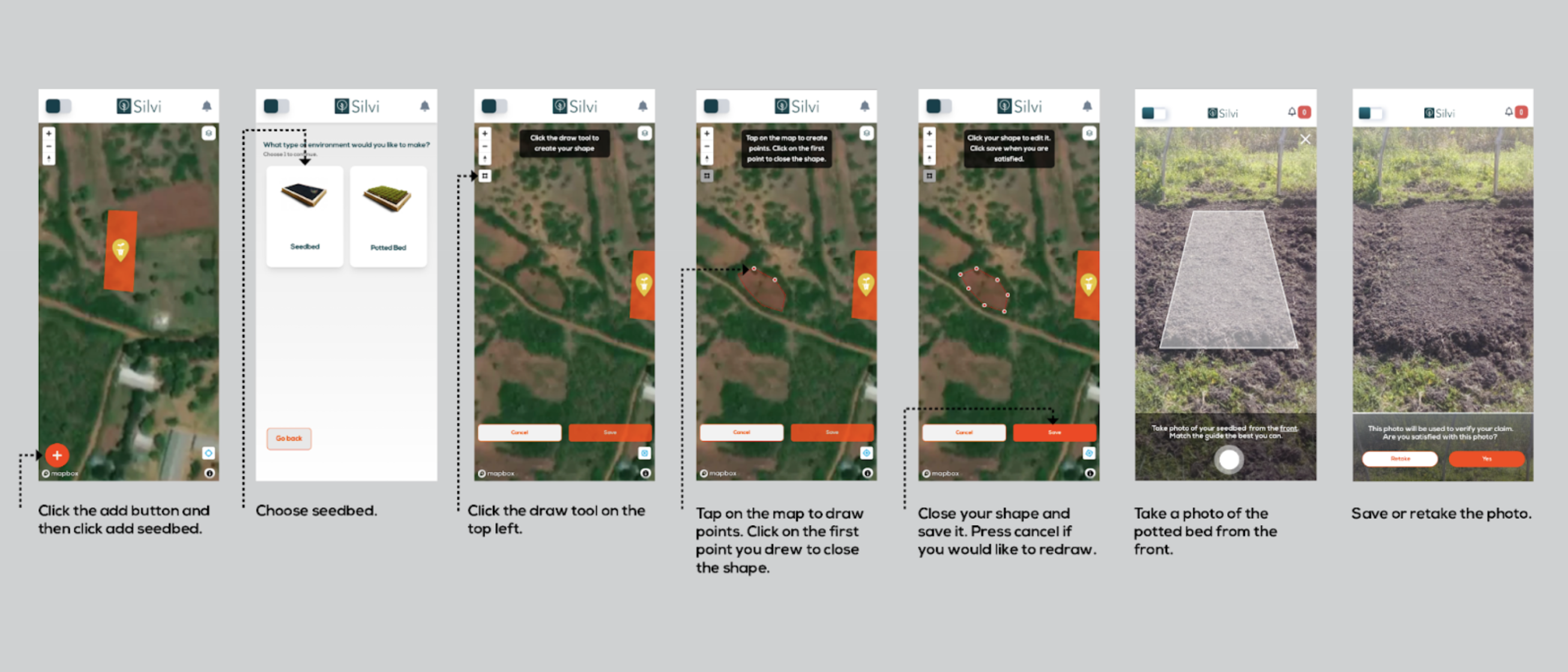
1. **Click** the `add button` and then **click** `add seedbed`
2. **Choose** `seedbed`
3. **Click** the `draw tool` on the top left
4. **Tap** on the `map` to draw points
5. **Click** on the `first point` you drew to **close the shape**
6. Close your shape and save it. **Press** `cancel` if you would like to redraw
7. **Take** a photo of seedbed from the front
8. `Save` or `retake` the photo.
{% hint style="success" %}
If a green confirmation banner appears, **your seedbed was registered.** Now it is visible and can be interacted with on the map.
{% endhint %}
{% hint style="info" %}
If you would like to **change the location of your nursery site** or if you have **uploaded it by mistake,** you should contact your administrator.
{% endhint %}
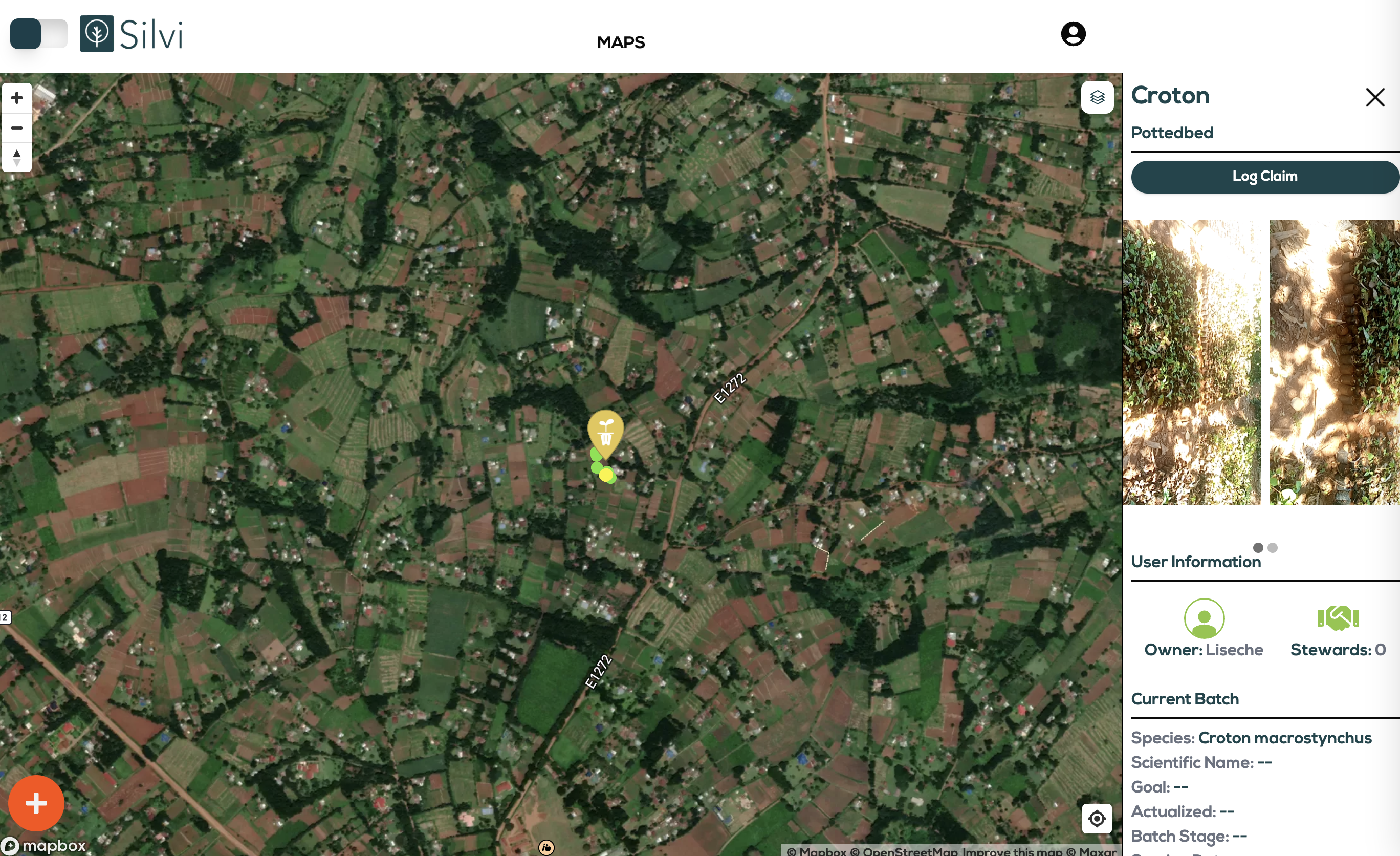
Seedbeds and Potted beds are marked on the map with yellow icons. When the globe is zoomed out they are grouped, counted, and marked with larger yellow circles.